Features Pricing WordPress Contact Create free account

Everything you need.
Nothing more.

Tablemonk gives you an instant overview of your reservations, tables and occupancy — simple, fast and without any hassle.

Reservation management
Works on any device
Light & dark theme
Flexible opening hours
Table layout
Free plan included
6 languages available
Real-time occupancy
Website integration
Automatic emails
WordPress plugin
Floor plan
Overview

Occupancy & reservations at a glance

Instantly see the current occupancy, upcoming reservations and available tables — all in one place. No fuss, no hidden screens.
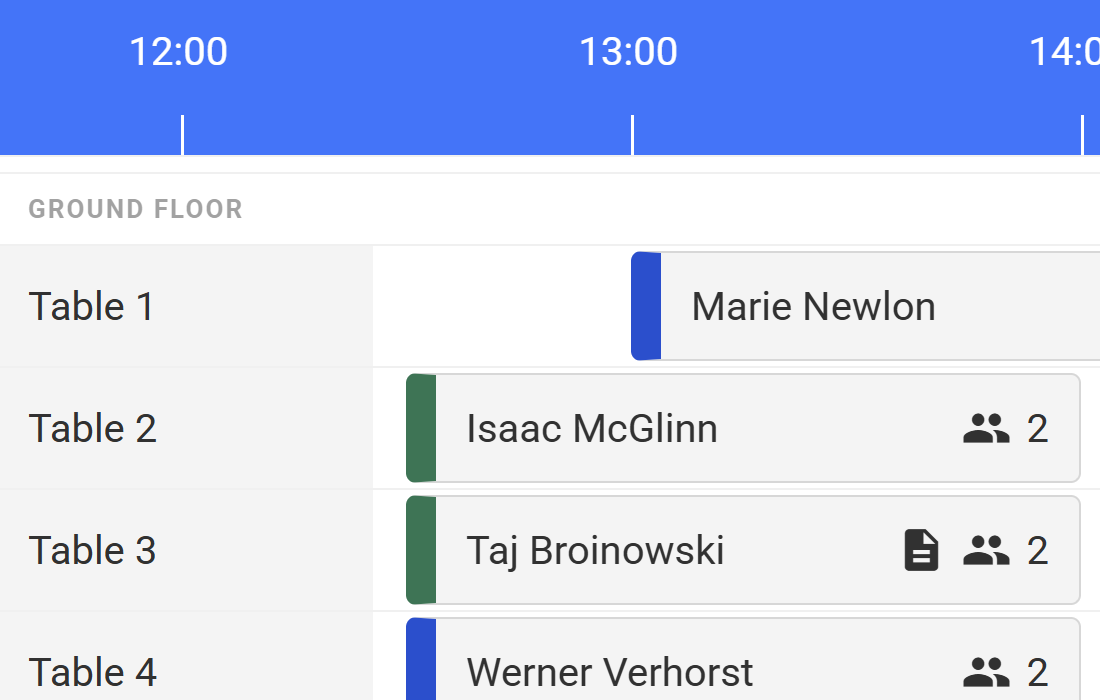
Real-time updates Day overview Table status
Dashboard overview
Instant insight

Easily check availability

With one click you know exactly which tables are available at any time of the day. Your guests only book when it's truly possible.
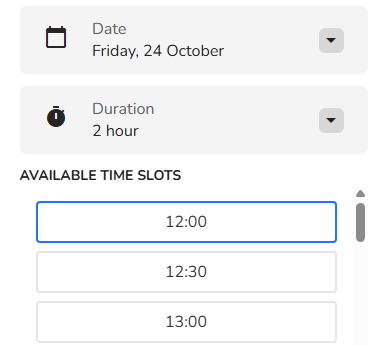
Per time slot Per table Per person
Time slots overview
Easy on the eyes

Dark or light theme

Easily switch between dark and light mode — handy in any setting. Working late at night? Dark mode is ready for you.
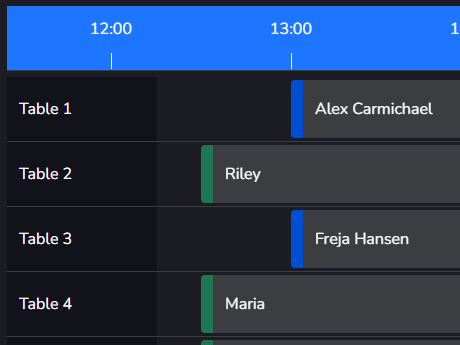
Dark mode Light mode Instantly switchable
Dark theme
Setting opening hours

Reservations always at the right time

Decide when guests can make reservations. Tablemonk automatically takes your opening hours into account — guests can only book when you're actually open.
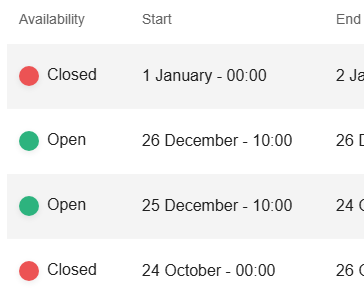
Configurable per day Public holidays Extra open days
Setting opening hours
Multilingual

Available in 6 languages

Tablemonk is fully available in Dutch, English, German, French, Spanish and Italian. You can also set your preferred date and time format — switching between 12- and 24-hour is effortless.

NL · EN · DE FR · ES · IT Date & time format
Language selection
Always accessible

Works on any device

Whether you're on desktop, tablet or mobile — Tablemonk adapts automatically. Manage your reservations from the kitchen, office or on the go.
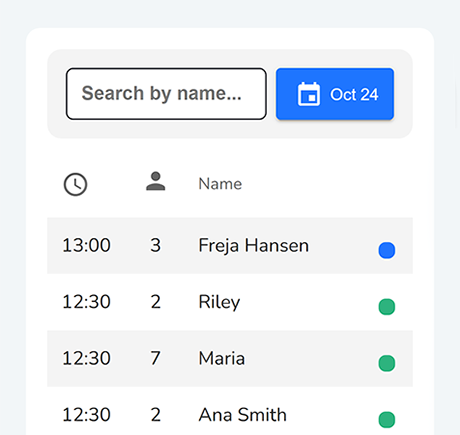
Desktop Tablet Mobile
Mobile screen
Website integration

Booking form on your own website

Add a booking form directly to your own website. Guests book themselves, at any time of day. No phone calls, no emails. Set it up with one line of code and customise the colour to match your brand.
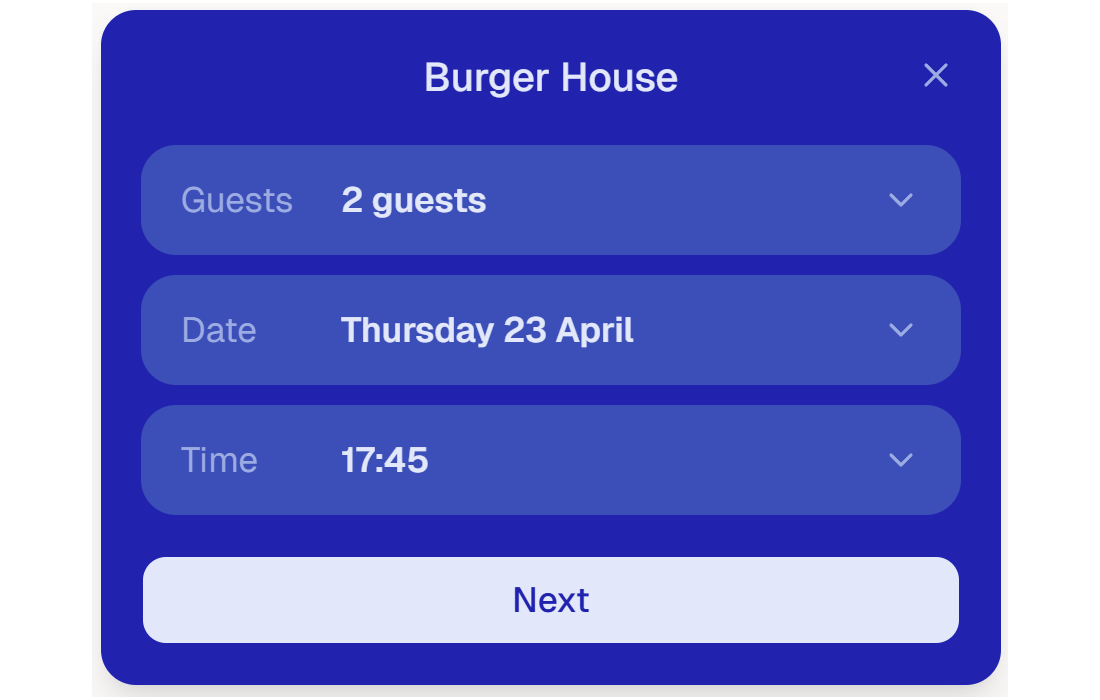
One line of code Custom colour & text Works on any website
Booking widget
Guest communication

Keep guests informed automatically

Guests receive a confirmation email the moment they book. The day before their visit they get an automatic reminder with all the details. Via the link in the email they can cancel their own reservation — which significantly reduces no-shows.

Confirmation email Reminder 24h before Self-cancellation
Floor plan

Interactive floor plan of your restaurant

Manage tables and reservations visually via an interactive floor plan. See at a glance which tables are occupied, who is sitting where and when a table becomes available.
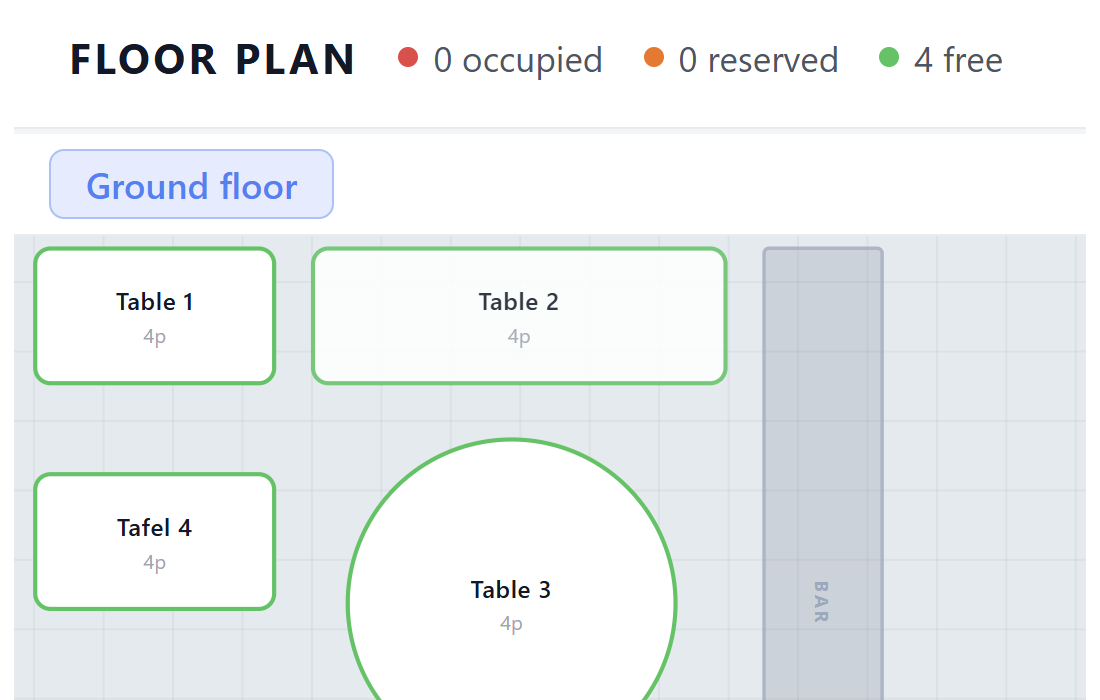
Visual overview Real-time occupancy Table status
Floor plan
WordPress

Reservation button on your WordPress site

Install the free Tablemonk plugin, enter your Widget ID, and a reservation button appears on your website. Guests book directly — no phone calls, no redirects.

Free plugin No coding required Any theme
View WordPress installation guide →
WordPress

We're building even more

We're always working on new features to make Tablemonk even better.

Questions about the features

Will these features stay free?
The free plan has no time limit. Reservations, tables, floor plan and dashboard stay free. Want guests to book directly through your own website? That's what Pro is for.
Can I integrate Tablemonk into my own website?
Yes! You can add a booking button to your own website with one line of code — find the snippet in your dashboard under Settings. Using WordPress? There's also a free plugin available that requires no coding at all.
Can I use Tablemonk on my mobile?
Yes, Tablemonk works on mobile and tablet. For day-to-day reservation management this works fine. Some features — like the floor plan — are designed for a larger screen and work best on a tablet or desktop.
How many tables and reservations can I create?
Unlimited. Both the number of tables and the number of reservations have no limit — not even in the free plan.
Can my guests book themselves?
Yes! Place the booking widget on your own website and guests can book directly. You'll find the installation instructions under Settings → Developers in your dashboard.

Ready to get started?

Try Tablemonk for free. No credit card, no obligations.

Free sign up Ready immediately No sales emails, promise.